
How To Listen
There are many ways to hear KJIL, no matter where you are! Click on the green buttons to be taken to the How-to on that device!

RADIO
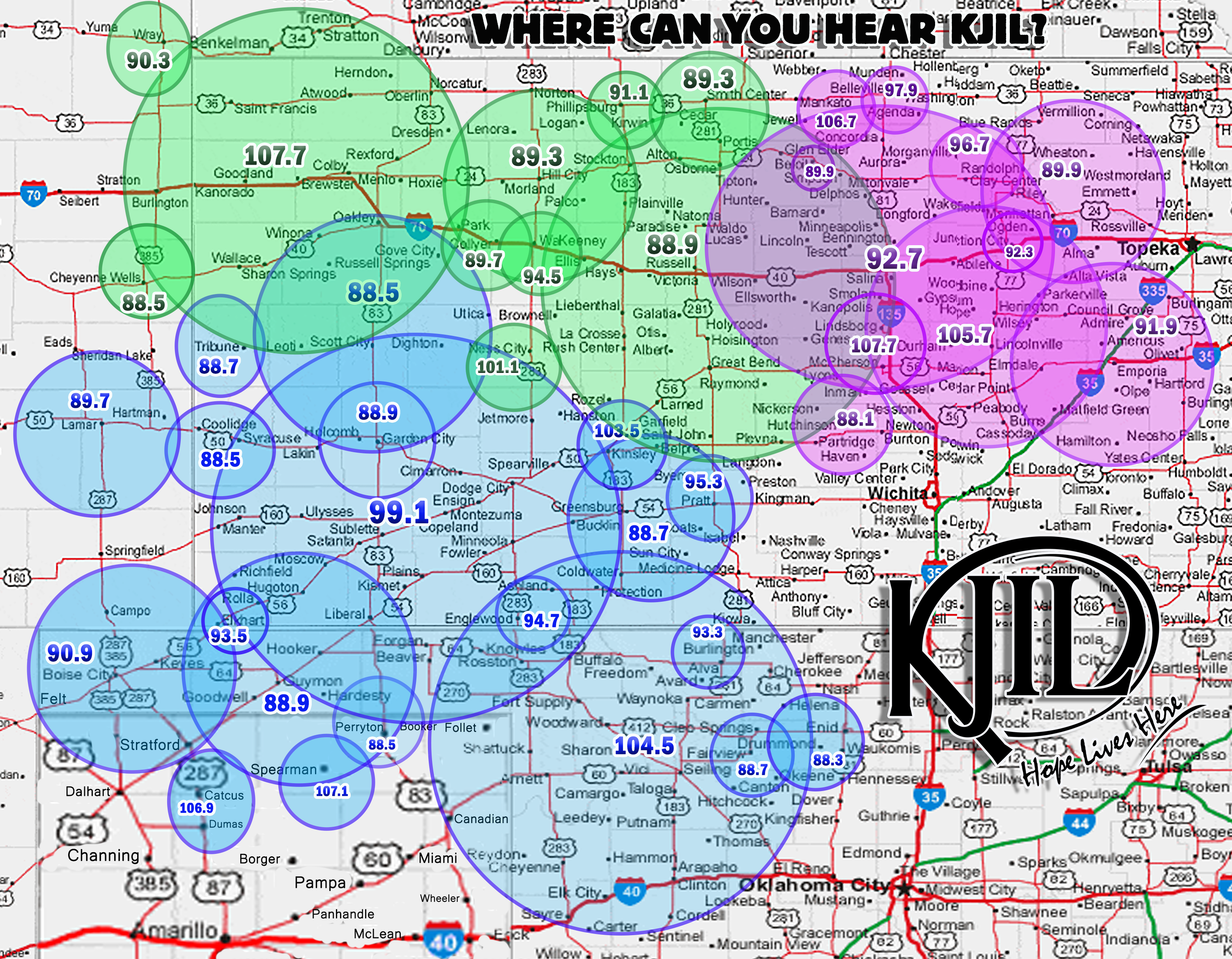
KJIL Southwest
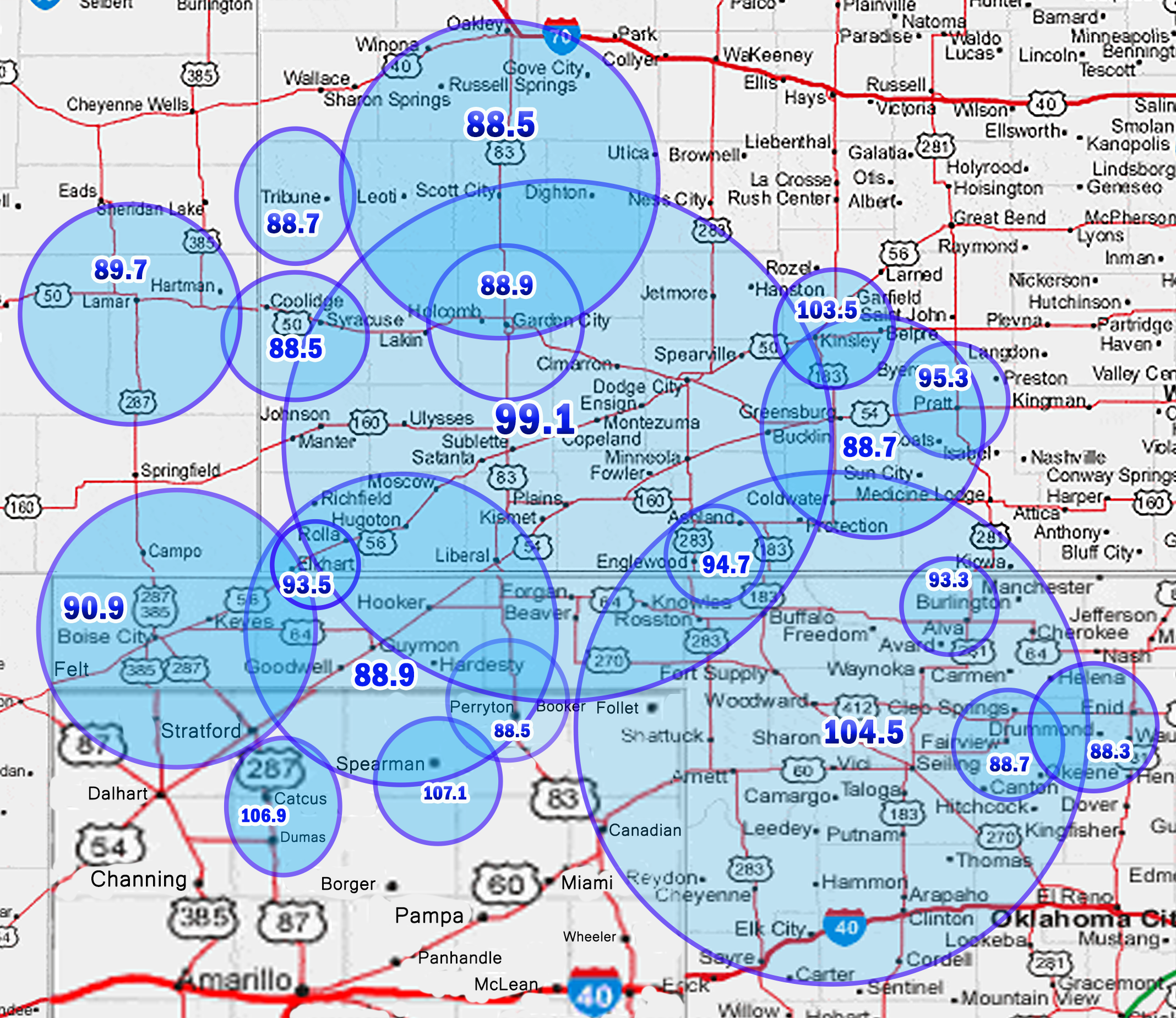 CO, Holly 88.5
CO, Lamar 89.7
KS, Ashland 94.7
KS, Copeland, Dodge City, Liberal 99.1
KS, Elkhart 93.5
KS, Garden City 88.9
KS, Haviland 88.7
KS, Lewis 103.5
KS, Pratt 95.3
KS, Scott City 88.5
KS, Tribune 88.7
OK, Alva 93.3
OK, Boise City 90.9
Ok, Enid 88.3
OK, Fairview 88.7
OK, Guymon 88.9
OK, Woodward 104.5
TX, Dumas 106.9
TX, Perryton 88.5
TX, Spearman 107.1
KJIL Central Kansas
KS, Belleville 97.9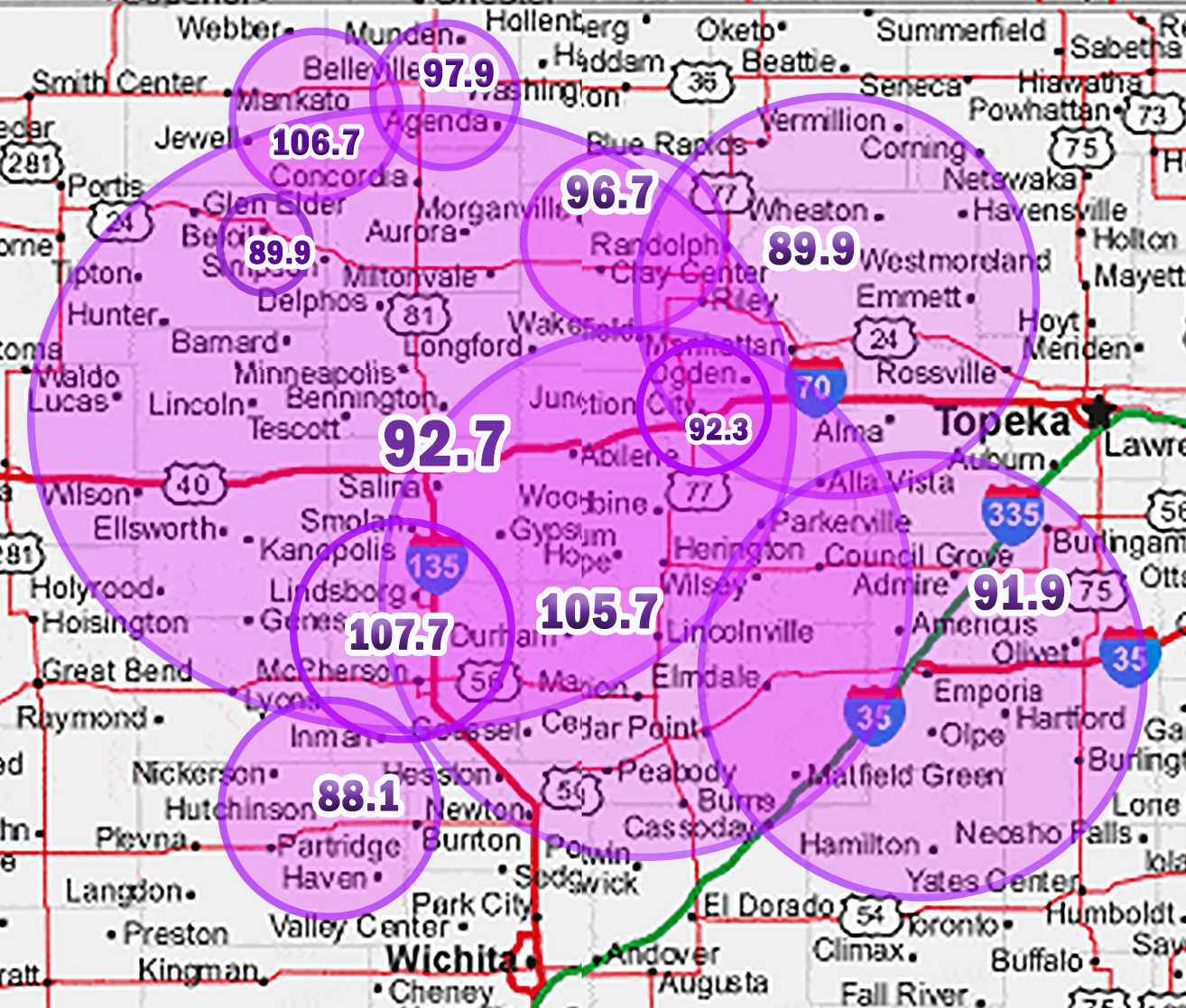
KS, Beloit 89.9
KS, Clay Center 96.7
KS, Courtland 106.7
KS, Emporia 91.9
KS, Herington 105.7
KS, Hutchinson 88.1
KS, Junction City 92.3
KS, Manhattan 89.9
KS, McPherson 107.7
KS, Salina 92.7
KJIL Northwest
KS, Brewster 107.7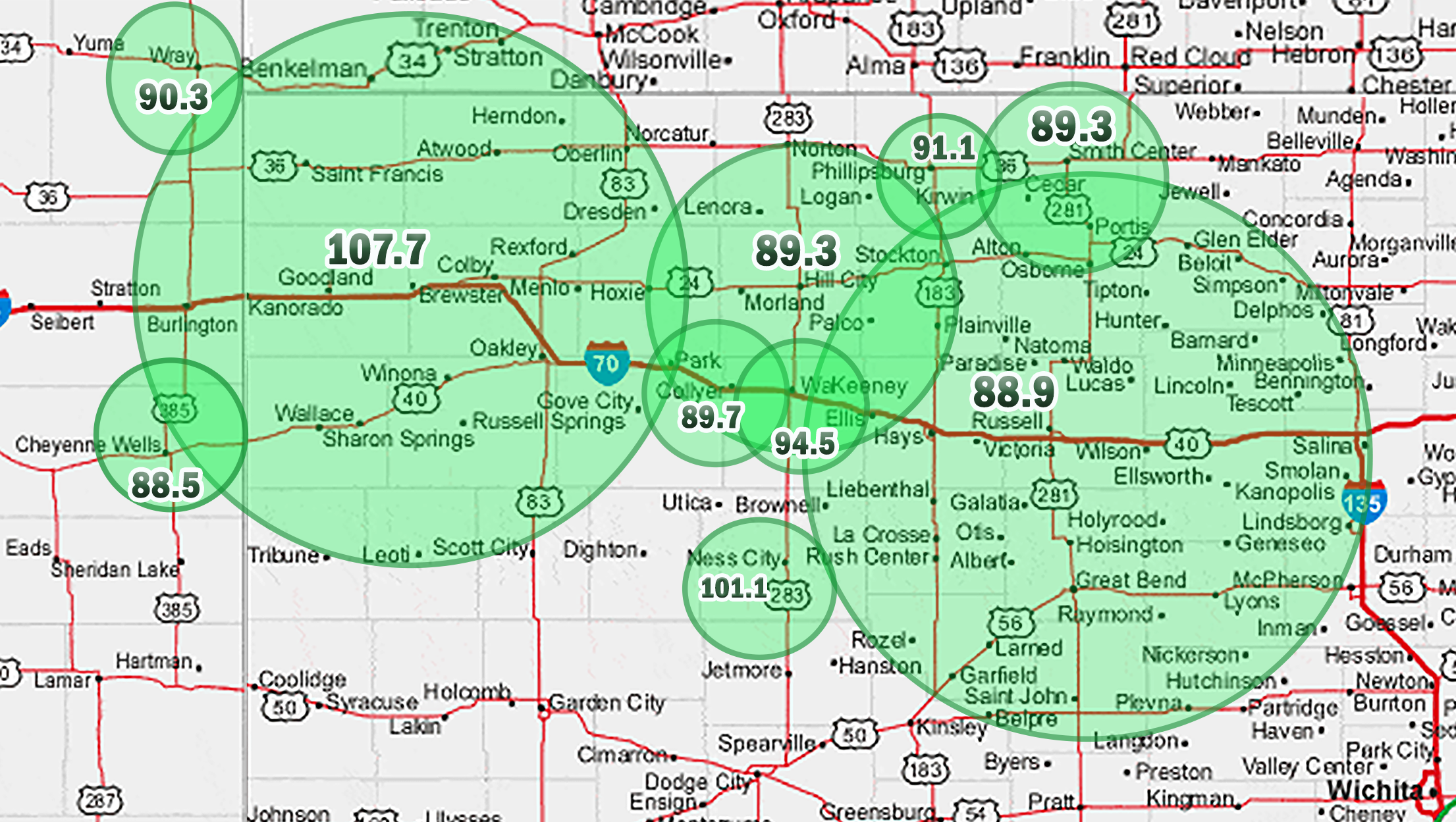
KS, Bunker Hill/Hays/Great Bend 88.9
CO, Cheyenne Wells 88.5
KS, Hill City 89.3
KS, Ness City 101.1
KS, Phillipsburg 91.1
KS, Quinter 89.7
KS, Smith Center 89.3
KS, WaKeeney 94.5
CO, Wray 90.3
PHONE APPS
You can download the KJIL apps for Android and Apple phones to listen to and connect with KJIL. Take Hope With You! Completely Free!






OTHER DEVICES
Car Apps
The KJIL Apps are now compatible with Apple CarPlay and Android Auto. If you have one of these features on your car, you can sync your phone to your car and now use the KJIL app on your car display to listen and connect.
Smart Speakers
Amazon Alexa Devices
For Alexa speaker devices (Echo, Echo Dot, Echo Show, Echo Spot, etc.) use the KJIL Skill. The first time, just say “Alexa, Enable KJIL”. (If You Want Central Kansas KJIL, Say "Enable KJIL Radio.") Then every time after than say “Alexa, Play KJIL.” (Or KJIL RADIO for Central Kansas KJIL) You know it works right when it starts with the KJIL Jingle. You can also enable the skill through the Alexa app or your Amazon.com account BY CLICKING HERE A few Alexa enabled devices don't use the skills but you can still say “Alexa Listen to KJIL” and it will work.
Google Nest/Apple Home
If you have the Tune In Radio app for OS/IOS, you can use that to listen to KJIL through your Google Nest/ Apple Home Pod. The free version will work, but the paid version lets you create shortcuts that make it easier to access KJIL on your HomePod.
Chromecast
The KJIL App is now compatible with Chromecast. If you have a phone and a Chromecast device, you can use the app to listen to KJIL.